
Mercedes guide
Mercedes Software Update Coding and Diagnosis Explained
Mercedes software update guidance covering OTA, workshop programming, coding and adaptation, with VIN campaign checks and clear limits before you approve work.
A Mercedes software update is justified by an applicable vehicle update, campaign or diagnosed software fault. Over-the-air updates, workshop programming, coding and adaptation serve different purposes. None is a universal annual requirement or a repair for worn parts, damaged wiring or a weak battery.
Follow any dashboard instruction to stop or seek assistance. A software appointment is not a reason to continue driving with abnormal braking, severe overheating, smoke or another potentially unsafe fault. Record the warning before changing settings, clearing codes or attempting resets.
Identify the proposed operation
“Update the computer” is too vague to approve as a repair. Ask which system is involved, what problem or campaign the action addresses, and what evidence connects it to your vehicle. A navigation map download and engine-control programming have different purposes and consequences.
| Operation | What it generally changes | What it does not automatically mean |
|---|---|---|
| Over-the-air update | Supported software or content delivered through the vehicle’s connected functions | Every control unit is updated remotely |
| Workshop programming | Software in an applicable control unit using the required diagnostic procedure | Every symptom is caused by old software |
| Coding or parameterization | Configuration appropriate to the vehicle and equipment | A new software version has been installed |
| Adaptation or initialization | Specified learned values or operating references | Worn hardware has been restored |
The exact terminology and required sequence depend on the vehicle and repair procedure. A workshop should identify each charge clearly rather than combine unrelated operations under one unexplained “software package.”
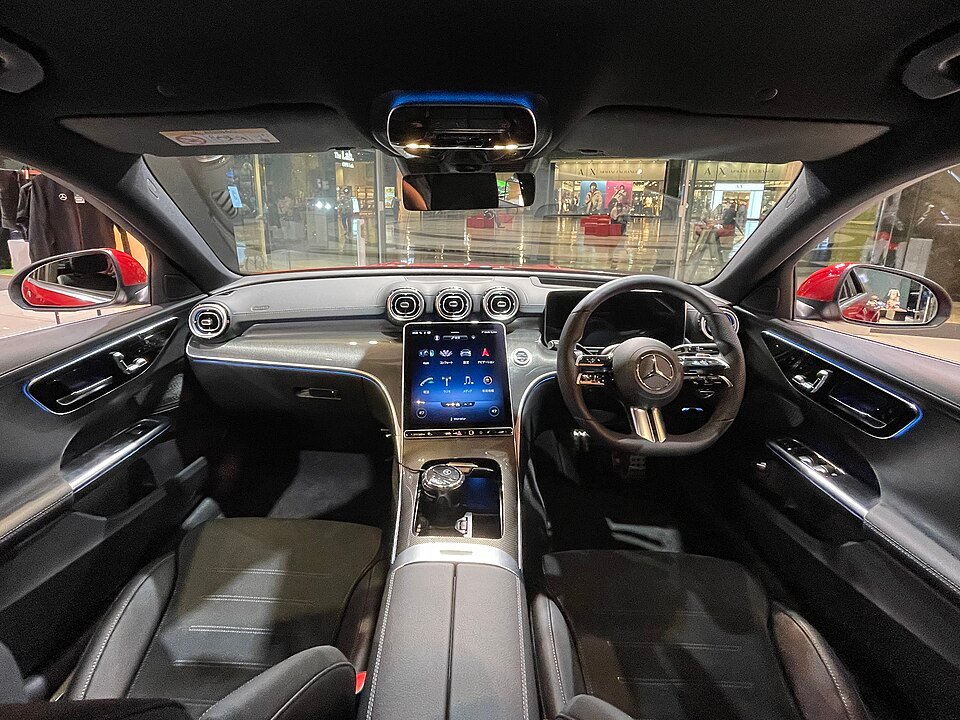
Photo: Tokumeigakarinoaoshima, CC BY-SA 4.0. Resized reference photograph.
Over-the-air updates
Connected Mercedes vehicles can support remote software delivery, but availability differs by model year, multimedia generation, market and vehicle configuration. A feature described for a new MBUX-equipped model should not be assumed to exist on an older COMAND system.
Use the owner’s manual and the instructions shown in your own vehicle. They establish whether an update is available and what conditions apply. A missing notification is not proof of a fault, and another owner’s update version is not necessarily appropriate for your car.
Before accepting an offered update, check:
- Which system or feature the notification names.
- Whether installation requires the vehicle to be parked and unavailable for use.
- The displayed conditions and any restrictions during installation.
- The completion message and where the result can be reviewed.
- The contact route if the system reports a failure or asks for workshop help.
Do not copy a button sequence from a different generation. Do not interrupt an installation by disconnecting the battery or pulling a fuse. Follow the actual instructions rather than an arbitrary online waiting time or a promise that every update takes only a few minutes.
Mercedes’ April 2025 MBUX 2.6 announcement explicitly qualifies feature availability by market, vehicle technology, configuration and settings. That dated example demonstrates why an update announced globally is not a promise that every feature is offered on your car.
An update may improve a documented function without changing the rest of the vehicle. A successful multimedia installation does not prove that an engine, transmission or driver-assistance complaint has been addressed.
Workshop programming
Workshop programming may be appropriate for an applicable campaign, a documented software condition or part of an approved component-replacement procedure. The reason should be recorded before work begins. “The car is old” or “Dubai is hot” is not enough to establish that programming is necessary.
The technician needs to identify the vehicle, installed control unit and current software information. A bulletin or campaign must match the relevant details, not just the model badge. Build range, equipment, market and previous actions can affect applicability.
| Evidence | What it supports | What still needs checking |
|---|---|---|
| An open VIN-specific campaign | The prescribed action for that vehicle | Current campaign instructions and completion status |
| A matching technical instruction | A possible documented repair path | Whether the complaint and test findings meet its conditions |
| A replacement module procedure | Required commissioning steps | Correct part, configuration and authorized access |
| A newer version exists elsewhere | A reason to investigate availability | Whether installation is offered or appropriate for this vehicle |
The existence of newer software does not automatically create a repair need. Conversely, an applicable recall or campaign should not be dismissed because the car currently feels normal. Follow the official instruction and confirm the action with the responsible service provider.
Check VIN campaigns
For Dubai vehicles, the official Mercedes-Benz recall check provides a route to establish vehicle-specific recall status. Ask the authorized provider to confirm applicability, the required action and whether it has already been completed.
A recall, a service campaign, a technical bulletin and a customer-paid diagnosis are not interchangeable. A bulletin can describe a diagnostic or repair method without establishing a free repair for every owner. An online list from another country does not prove coverage for a UAE vehicle.
Keep these questions separate:
- Is there an applicable open action for my VIN?
- Who is responsible for completing it, and what costs apply?
- Does it address my reported symptom or a separate issue?
- What record confirms completion?
- What further investigation is needed if the symptom remains?
Do not assume that an independent workshop’s diagnostic fee is covered by a manufacturer campaign. Likewise, do not approve duplicate paid programming before checking whether an applicable action should be handled through the authorized route.

Photo: Борис Ульзибат, CC BY 3.0. Resized reference photograph.
Coding and configuration
Coding and parameterization concern how a control unit is configured for the vehicle and its equipment. They can be relevant during specified repairs or component installation. They are not a general response to every warning, battery replacement or accessory installation.
For example, an incorrectly specified replacement component cannot necessarily be made suitable by selecting a different setting. Hardware compatibility, part number, security authorization and the manufacturer’s procedure still matter. A promise to “code anything” is not a useful explanation of what your vehicle needs.
Ask the workshop to identify:
- The component or setting that requires configuration.
- The procedure that applies to the VIN and installed equipment.
- Whether the proposed hardware is compatible before any programming starts.
- The functions that will be checked afterward.
A requested feature change may also have legal, safety or warranty implications that differ from an ordinary repair. Obtain specific advice for the modification instead of relying on a blanket claim that coding always preserves warranty coverage. No such universal assurance is made here.
Changes intended to defeat required safety or emissions functions are outside normal repair guidance. The purpose of a repair should be to restore the correct operation of the vehicle, with a clear record of the authorized work.
Adaptation and initialization
Some systems use learned values or reference positions. A specified repair may require adaptation, calibration or initialization, but the exact procedure varies. These terms should not be treated as interchangeable menu buttons that make an old component new again.
A transmission that shifts poorly may need diagnosis of fluid condition, mechanical operation, electrical supply and control behavior. Clearing learned values without understanding the complaint can change symptoms temporarily while leaving the cause unresolved. It is not proof of a successful repair.
| Situation | Better question before a reset |
|---|---|
| Rough shifting | Which test results justify an adaptation procedure? |
| Window operation changed after work | What model-specific initialization and protection checks apply? |
| Battery replaced | Which energy-management or other steps does this VIN require? |
| Sensor or module replaced | Does the exact procedure require coding, calibration, programming or a combination? |
The completion record should name the action that was actually performed. A cleared fault memory, a reset service reminder and a software installation are different events. An invoice should not label one as another.

Photo: Iwao from Tokyo, Japan, CC BY-SA 2.0. Resized reference photograph.
Diagnose before programming
Electrical and mechanical faults can resemble software problems. A low supply, intermittent ground, damaged connector, failing sensor or network fault may cause a display to restart or a control unit to stop communicating. Programming does not repair those physical defects.
A useful diagnostic path begins with the complaint and preserves the evidence. The workshop should record relevant fault memory, operating conditions and software identification before clearing information or changing the system. The tests then follow the exact vehicle’s diagnostic procedure.
| Complaint | Possible diagnostic directions | Why an update alone is not proof |
|---|---|---|
| Display restarts | Supply, connections, multimedia hardware and applicable software information | Several causes can produce a similar restart |
| Gearshift complaint | Mechanical, hydraulic, electrical and control-system checks | A changed driving feel can be temporary or condition-dependent |
| Battery discharge | Battery condition, charging, sleep/wake behavior and accessories | Programming cannot identify every parked electrical load |
| Engine warning | Fault context, live data and appropriate physical tests | A fault code does not name the failed part |
If a bulletin points to programming, the technician should still check its prerequisites. A campaign can prescribe a particular action, while a symptom-based repair may require more investigation first. Those paths should be explained separately.
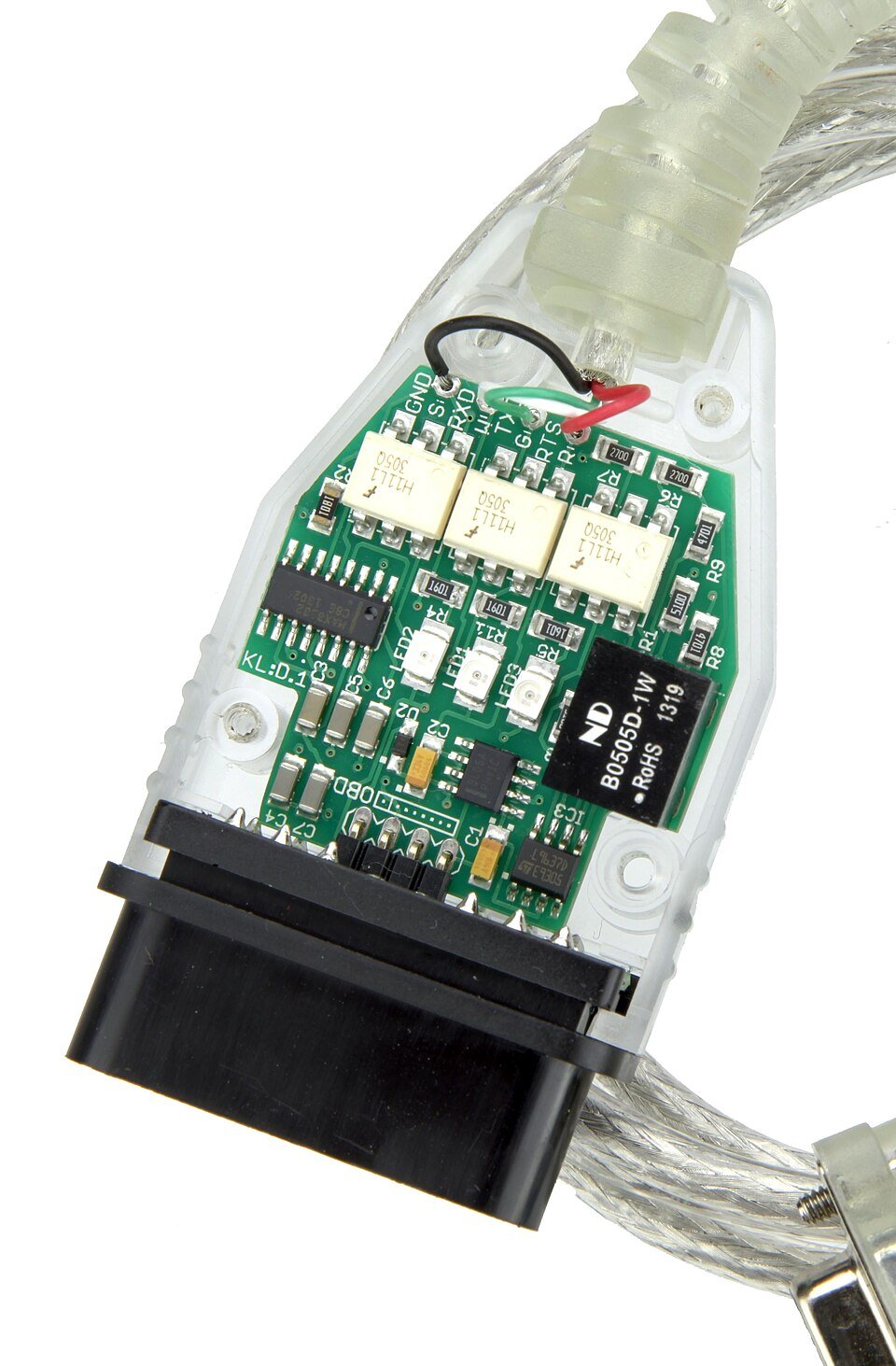
Photo: Florian Schäffer, CC BY-SA 3.0. Resized reference photograph.
The programming appointment
The details vary, but a sound appointment has an agreed scope and a completion check. The workshop needs appropriate diagnostic access, the correct procedure and suitable support equipment. A laptop connected to the diagnostic socket is not, by itself, evidence that those requirements are met.
Mercedes describes fault reading, guided diagnosis, flashing, coding and parameterization as separate capabilities within its XENTRY diagnostic information. Product availability and authorization vary by region. That documentation should not be read as a claim that a particular regional software subscription is available to every UAE workshop.
A clear job sequence is:
- Confirm the complaint, vehicle identification and approved scope.
- Save the relevant scan information and existing software details.
- Check the required supply support, connections and procedural prerequisites.
- Carry out only the applicable approved actions.
- Complete any specified commissioning or verification steps.
- Recheck the original complaint and document remaining issues.
Power support is a workshop requirement defined by the procedure, not a reason for an owner to connect any available charger. A maintenance charger and a programming support supply may have different capabilities. The technician must select suitable equipment and monitor the session appropriately.
Programming time also differs from total appointment time. Diagnosis, preparation, downloads, installation and verification can take separate periods. Avoid promises that an unexplained fault will be diagnosed or fixed in seconds.
Prepare for the appointment
Your observations can improve the investigation without changing the vehicle’s configuration. Record the exact symptom while parked safely. If it happens only after a particular sequence, describe that sequence rather than attempting to recreate it in traffic.
Prepare a short handover note:
- What happens, and which system is affected?
- When did it start, and how often does it occur?
- Does it follow starting, parking, charging, phone connection or another event?
- Was there recent battery, accessory, electrical or mechanical work?
- What warning text or update notification was shown?
- Have any codes, settings or learned values already been cleared?
Bring relevant invoices and the record of any previous attempt to fix the complaint. “Updated last month” is incomplete if no one can identify which module was changed. A previous invoice with software identifiers and a clear scope is more useful than a general statement that the car was reset.
Do not enter undocumented engineering menus or install files from an unknown source. The correct next step for an unsupported or unclear update message is to consult the exact manual or a qualified service provider.
If an update fails
Follow the instructions displayed by the vehicle and the applicable owner’s manual. Do not repeatedly cycle the ignition, disconnect the battery or attempt a different internet reset sequence unless the manufacturer’s procedure specifically instructs it. Random interventions can complicate the recovery process.
Record what you can safely observe:
- The exact message and whether installation was downloading, installing or verifying.
- Whether the vehicle can be used according to the displayed instructions.
- Any known interruption, such as loss of the required connection or supply.
- The time and the last action completed before the problem appeared.
Contact the responsible workshop or authorized support route with that information. If the vehicle reports that driving is not permitted, arrange assistance rather than assuming the message is harmless because software work was involved.
A new warning after programming needs assessment. It may relate to the work, an incomplete required step or an existing issue revealed during the visit. The sequence matters, but timing alone does not prove which component failed or who caused it.
Approve defer or investigate
The best decision is tied to evidence and urgency. An applicable safety action should follow the manufacturer’s instructions. A nonurgent feature update can be considered under the vehicle’s instructions. An unexplained symptom requires a defined diagnostic scope rather than a promise that the newest version fixes everything.
| Decision | Appropriate basis |
|---|---|
| Approve the prescribed action | Confirmed VIN applicability and a clear scope |
| Approve diagnosis first | Symptom exists but software causation has not been established |
| Ask for clarification | Quote does not identify the module, operation or reason |
| Defer an optional feature change | No relevant fault or required action, subject to official guidance |
| Arrange urgent assistance | Dashboard instructions or physical symptoms indicate a safety concern |
Heat can affect vehicle hardware and operating conditions, but it does not establish that software code “wears out” each summer. An annual paid update rule should not be substituted for VIN-specific campaign checks and diagnosis.
Similarly, a battery replacement does not automatically justify updating every control unit. Check the exact replacement procedure and any required registration or initialization separately from a software repair.
Scope and completion evidence
Before authorizing paid work, ask what the initial fee covers and where further approval is required. The scope might include complaint verification, a scan, campaign and software checks, and selected tests. Programming, hardware repair and recovery can be separate items.
A useful written estimate should identify the relevant system, proposed operation, inclusions, exclusions and tax treatment. It should explain what happens if the evidence points to a physical fault instead. Avoid an open-ended authorization to replace modules simply because programming did not change the symptom.
At handover, request:
- The recorded concern and findings before the work.
- The applicable action or diagnostic reason for programming.
- The completed operations and software identification where available.
- The verification performed under relevant conditions.
- Any remaining limitations, warnings or follow-up checks.
The phrase “all codes cleared” is not enough. Ask whether relevant faults returned and whether the original complaint was tested. If an intermittent condition did not occur during the visit, the report should say so instead of describing an unobserved result as a confirmed cure.
Software update questions
Will an update improve fuel economy or add power
Do not assume either outcome. An official update addresses the functions described for the applicable vehicle. Tuning is a different activity with different implications. A repair update should not be sold with an unsupported power, economy or savings promise.
Does a newer multimedia system mean my older car can receive its features
No. Hardware, software generation, licensing and market support can limit availability. A similar screen layout or model name does not establish compatibility. Ask whether the requested feature is officially supported on the actual vehicle before paying for configuration work.
Can an update replace a mechanical repair
Only a correctly identified software-related condition supports that approach. Software cannot restore worn friction material, repair a leak or replace a damaged connector. If a symptom has several possible causes, preserve the evidence and follow the diagnostic process.
Must every Mercedes be updated every year
No universal annual requirement is established here. Respond to applicable official notifications and campaigns, and investigate symptoms when necessary. Routine servicing is a useful opportunity to check vehicle status, not proof that paid programming is due.
Is warranty coverage automatically protected by using a diagnostic tool
No blanket assurance is appropriate. Coverage depends on the vehicle, terms, work and circumstances. Ask the responsible warranty provider about a proposed modification or disputed repair before assuming that any tool or workshop name determines the outcome.
What if the same symptom returns after programming
Return with the original work record and the new symptom details. The next stage should compare the evidence before and after the action and investigate remaining causes. Repeating the same update without a technical reason is not a substitute for a revised diagnosis.
Your next decision
Before approving work, identify the operation, affected module and vehicle-specific reason. Keep campaign eligibility separate from paid diagnosis and physical repairs. Ask for the completion record and a repeat check of the original symptom so successful programming is not mistaken for proof that every fault is fixed.
Discuss the symptom before approving software work
Share the exact message and recent repair history. Ask for a defined diagnostic scope and a reason for any proposed programming. See our Mercedes electrical service for workshop diagnosis.